
If you are looking for a YouTube to MP3 converter, you probably want one simple thing: turn a YouTube video you are allowed to download into an audio file that you can keep and play separately.
The problem is that not every converter is equally useful. Some are desktop applications, some are command-line tools, some are browser-based services, and others have become unreliable as YouTube changes how its platform works.
This guide covers 10 YouTube to MP3 converter options for 2026, including free tools, desktop software, technical solutions, and YouTube’s own offline option. The goal is not simply to give you a long list, but to explain what each option is actually good for.
Important: Only download or convert content when you have the necessary rights or permission. This can include your own YouTube videos, public-domain material, or content whose creator has authorized downloading. YouTube also provides its own offline viewing features for eligible users.
What Is a YouTube to MP3 Converter?
A YouTube to MP3 converter is a tool that extracts audio from a YouTube video and saves it as an MP3 or another audio format.
The basic process is usually:
- Copy the URL of the YouTube video.
- Add the URL to the converter.
- Select MP3 or another available audio format.
- Start the conversion or download.
- Save the resulting audio file to your device.
The exact process depends on the tool. Browser-based converters usually require no installation, while desktop applications can provide more control over playlists, metadata, file names, and audio formats.
10 YouTube to MP3 Converter Options for 2026
There is no single converter that fits every user. A person who wants one occasional download has very different needs from someone managing hundreds of files or an entire playlist.
Here are 10 options worth knowing about in 2026.
1. yt-dlp
Best for: Advanced users, automation, playlists, and format control
yt-dlp is a feature-rich open-source command-line audio and video downloader. Its official project is actively maintained, with a 2026.08.19 release listed in August 2026.
Its biggest advantage is control. Instead of being limited to one website’s interface, users can select formats, automate downloads, process multiple URLs, and integrate it into scripts or workflows.
The downside is equally obvious: yt-dlp is not designed for beginners who want a simple paste-and-click experience.
It is a particularly interesting choice for technical users because official installation options are available for Windows, macOS, Linux, and other environments.
Good choice if: you want maximum control and don’t mind a command-line interface.
2. MediaHuman YouTube to MP3 Converter
Best for: Desktop users who want a graphical interface
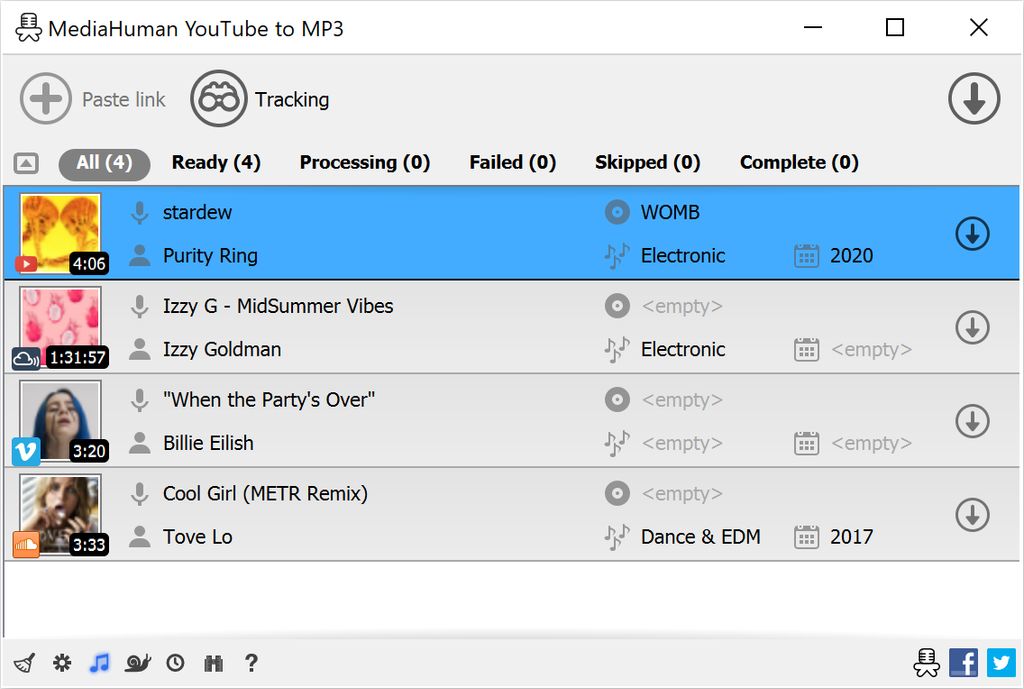
MediaHuman’s YouTube to MP3 Converter focuses on a more traditional desktop workflow. It can handle playlists and provides options for managing downloaded audio.
One useful distinction is that saving audio in its original available format can avoid an unnecessary conversion. Converting audio to MP3 is a lossy process, so MP3 is not automatically the highest-quality option simply because the bitrate number is larger.
MediaHuman is available for major desktop platforms, including Windows, macOS, and Ubuntu, according to current 2026 product information.
Good choice if: you want desktop software without learning command-line commands.
3. 4K YouTube to MP3
Best for: Playlists and users who prefer dedicated desktop software
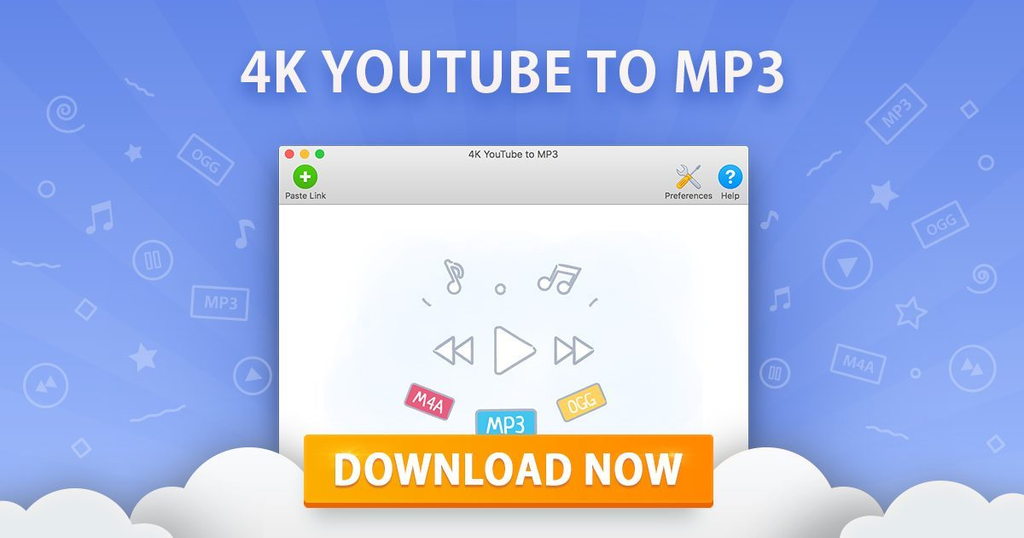
4K YouTube to MP3 is another desktop-oriented option. It is designed specifically around extracting audio from online video sources and can be useful when you want to manage multiple downloads rather than repeatedly visiting a converter website.
Its desktop approach also means you are not depending on a random webpage filled with advertising and multiple download buttons.
Current 2026 comparisons list it among the established desktop options for Windows, macOS, and Linux-based systems.
Good choice if: you regularly work with playlists and prefer a graphical application.
4. ClipGrab
Best for: Users looking for a simple free desktop downloader
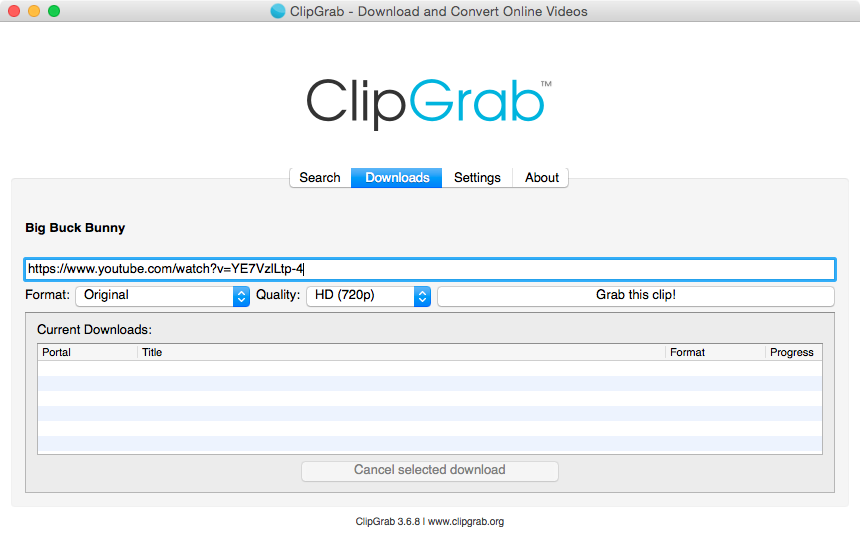
ClipGrab is a long-running graphical downloader that supports video and audio extraction. Its straightforward interface makes it easier to understand than command-line tools.
The main consideration with software such as ClipGrab is that compatibility can change when YouTube changes its platform. Current comparisons still include ClipGrab as a free desktop option, but extraction support may sometimes lag behind YouTube changes.
Good choice if: you want a relatively simple desktop interface for occasional downloads.
5. Stacher
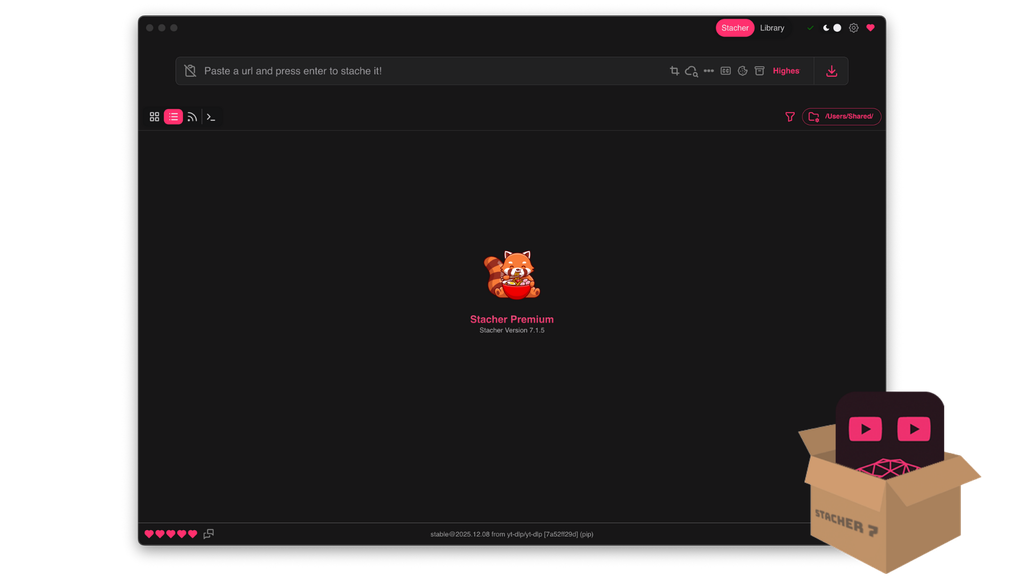
Best for: People who want yt-dlp capabilities without using the terminal
Stacher is a graphical interface built around yt-dlp. That makes it an interesting middle ground.
You get a visual application rather than typing commands manually, while benefiting from the underlying downloader technology used by many advanced users.
For someone who has heard of yt-dlp but doesn’t want to deal with command-line syntax, this type of interface can make the workflow considerably easier.
Good choice if: you want more control than a basic web converter but don’t want to use a terminal.
6. Any Video Converter
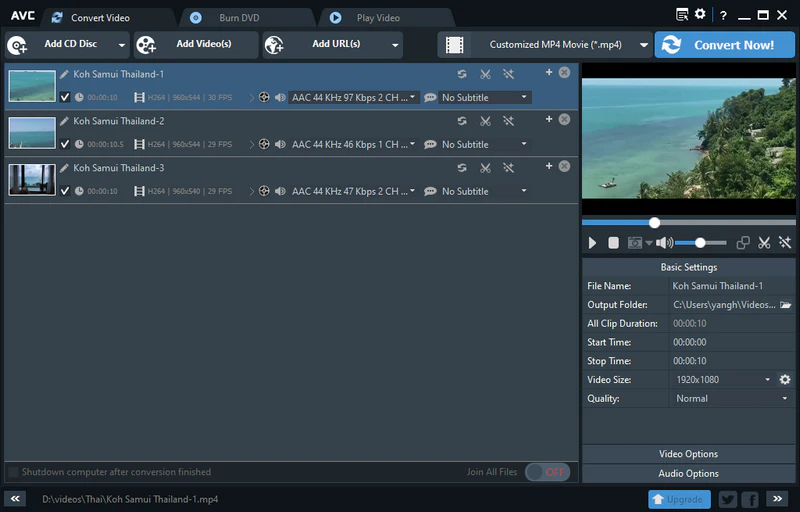
Best for: Users who need broader media-conversion features
Any Video Converter is more than a YouTube-to-MP3 tool. It is designed as a broader video and audio conversion application, which can be useful if you also work with files stored on your computer.
That makes it less specialized than a dedicated MP3 converter, but potentially more useful if you regularly need to convert between different media formats.
Current 2026 comparisons include its free version among YouTube downloading and conversion options.
Good choice if: you want one application for several video and audio conversion tasks.
7. cobalt
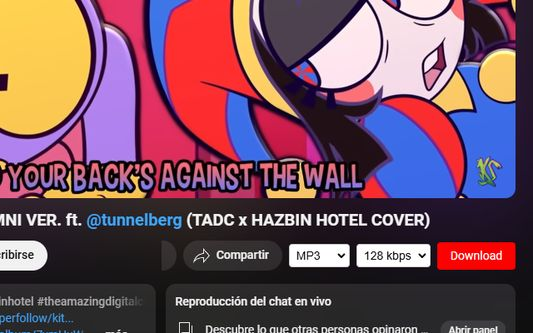
Best for: Privacy-conscious and technically capable users
cobalt is an open-source project with an emphasis on straightforward media downloading and privacy. Its audio settings support formats such as MP3, OGG, WAV, and Opus.
There is an important 2026 caveat, however: the public cobalt experience has faced restrictions and compatibility issues with YouTube. Current reporting indicates that users interested in cobalt may need to use or host an instance rather than assuming the public website will work like older guides suggest.
cobalt also makes an important audio-quality point: converting to a higher bitrate cannot recreate information that was not present in the original source.
Good choice if: privacy and open-source software matter to you and you understand its current limitations.
8. Downie
Best for: Mac users who want a dedicated downloader
Downie is a macOS-focused downloader designed around saving online media. Its desktop workflow is more convenient for Mac users who would rather have a native application than use a browser-based converter.
It is worth considering when your main requirement is a reliable desktop media workflow rather than a simple one-off conversion.
Good choice if: you use a Mac and prefer dedicated desktop software.
9. Freemake Video Downloader / Audio Converter
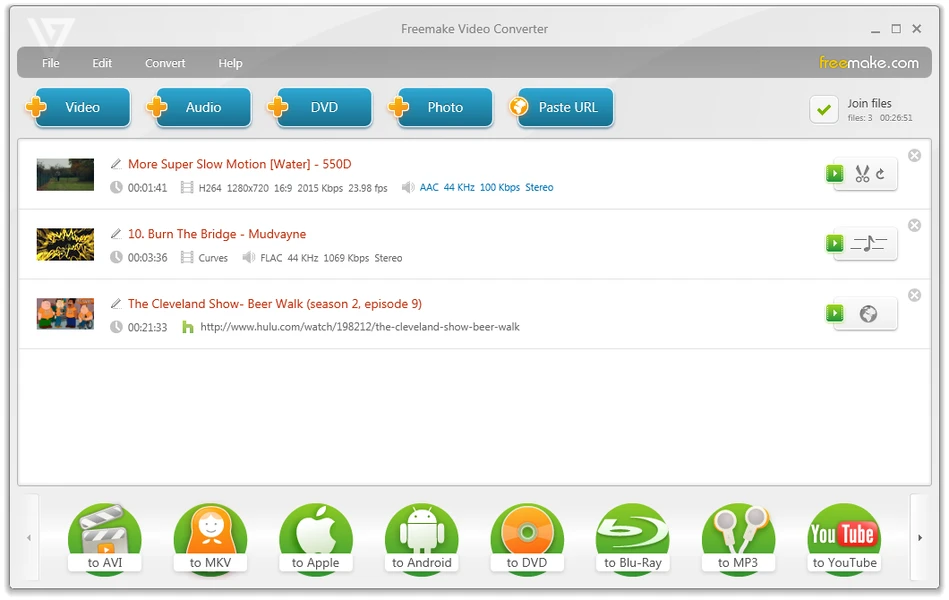
Best for: Windows users who prefer graphical media tools
Freemake has offered Windows-focused video downloading and audio conversion software for years. Its approach is aimed at users who prefer graphical applications instead of command-line utilities.
The workflow can involve more than one application depending on the task, so it may not be as streamlined as a tool designed exclusively around YouTube audio.
Good choice if: you already use Windows and want a familiar graphical media-conversion workflow.
10. YouTube Premium
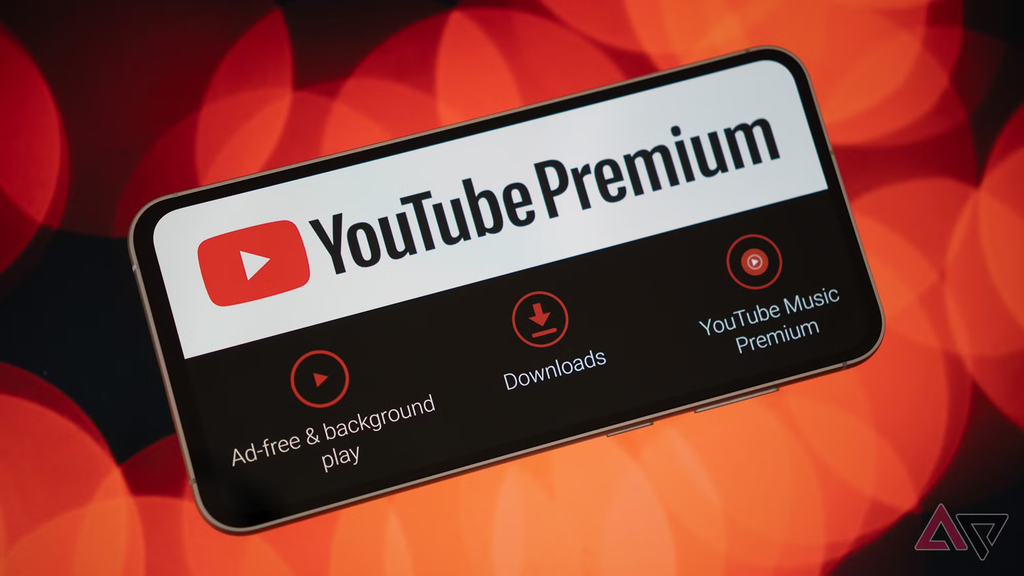
Best for: Official offline playback rather than MP3 file conversion
YouTube Premium is not a traditional free YouTube to MP3 converter, and it does not turn YouTube videos into standalone MP3 files.
It is included here because many people searching for a converter are actually trying to solve a different problem: “I want to listen to YouTube content when I don’t have an internet connection.”
YouTube officially supports offline downloads for eligible Premium users. Downloads are stored for offline playback inside YouTube rather than being exported as ordinary MP3 files. YouTube states that MP3 files cannot be downloaded directly through the YouTube app.
Good choice if: your goal is legitimate offline listening rather than creating an MP3 file.
Which YouTube to MP3 Converter Should You Use?
The answer depends on what you actually need.
| Your requirement | Suitable option |
|---|---|
| Maximum control | yt-dlp |
| Beginner-friendly desktop workflow | MediaHuman |
| Playlists and desktop downloads | 4K YouTube to MP3 |
| Simple free desktop tool | ClipGrab |
| yt-dlp without the command line | Stacher |
| General media conversion | Any Video Converter |
| Open-source/privacy-focused workflow | cobalt |
| Mac-focused downloading | Downie |
| Windows media tools | Freemake |
| Official offline YouTube playback | YouTube Premium |
This is a use-case comparison, not a ranking. The right option depends on your operating system, technical comfort, desired format, and whether you need a standalone audio file at all.
What Should You Look for in a Free YouTube to MP3 Converter?
A good free YouTube to MP3 converter should be judged on more than whether the word “free” appears on its homepage.
1. Audio quality
Check what audio source the tool actually uses. A converter cannot create detail that does not exist in the original source.
For example, selecting a very high MP3 bitrate does not magically turn a lower-quality source into studio-quality audio. cobalt’s documentation explicitly makes this point about bitrate and source quality.
2. Security
Be careful with websites covered in pop-ups, fake download buttons, unexpected browser notifications, or suspicious redirects.
Desktop software should also come from its official source. Avoid downloading random “cracked” versions or installers from file-sharing sites.
3. Format support
MP3 is popular because it works almost everywhere, but it is not the only option.
Depending on the converter, you may encounter:
- MP3
- M4A
- AAC
- Opus
- WAV
- OGG
If preserving the original available audio stream matters, an original format may be preferable to converting it into MP3.
4. Playlist support
If you are working with your own videos or content you are authorized to download, playlist support can save considerable time.
Instead of processing every URL separately, desktop tools and yt-dlp can provide batch-oriented workflows.
Is a YouTube to MP3 Converter Legal?
The answer depends on the content, your rights, and the applicable law.
YouTube’s official help documentation says users can download videos they have uploaded themselves, while Premium users can download eligible videos for offline viewing.
That is different from downloading any video simply because a converter can technically process its URL.
A safer rule is to use converters for content you own, have permission to download, or are otherwise legally entitled to save. Public-domain material and appropriately licensed content are common examples.
If your only goal is offline playback of YouTube content, YouTube’s own offline feature avoids the need to create a separate MP3 file.
Why Do YouTube to MP3 Websites Sometimes Stop Working?
YouTube changes its platform frequently, and third-party downloaders have to adapt.
This is one reason a converter that worked six months ago may suddenly return an error.
Even yt-dlp, which is actively maintained, has open issues related to YouTube extraction and changes in access behavior. Its 2026 release history shows frequent updates, illustrating how quickly compatibility can change.
For that reason, be cautious about articles claiming that a particular converter will “always work.” No third-party YouTube downloader can guarantee permanent compatibility.
Are 320 Kbps YouTube MP3 Downloads Really Better?
Not necessarily.
A 320 Kbps MP3 setting does not guarantee 320 Kbps source audio. If the converter starts with a lower-quality source and re-encodes it at 320 Kbps, the larger file does not contain magically restored detail.
This is why the source audio matters more than simply choosing the biggest bitrate number. Current converter documentation and 2026 comparisons both highlight this issue.
If a tool offers the option to preserve an original audio format rather than converting unnecessarily, that can be worth considering.
Common Mistakes to Avoid
Before using any YouTube to MP3 converter, keep these mistakes in mind:
- Clicking the first “Download” button you see on an ad-heavy website.
- Installing software from unofficial download pages.
- Assuming 320 Kbps automatically means better quality.
- Downloading copyrighted content without checking whether you have permission.
- Using an outdated converter and assuming it should still work.
- Giving a third-party website unnecessary personal information.
- Installing browser extensions simply because a converter tells you they are required.
For desktop software, keeping the application updated is particularly important because YouTube compatibility can change.
Frequently Asked Questions
What is the best free YouTube to MP3 converter?
There is no single best option for every user. yt-dlp is suited to advanced users who want control, while MediaHuman, ClipGrab, and graphical alternatives are easier for people who prefer desktop interfaces. Your choice should depend on your workflow and the content you are authorized to download.
Can I convert YouTube videos to MP3 for free?
Some third-party tools offer free audio conversion features. However, whether you are allowed to download a particular video depends on your rights, permission, the applicable law, and YouTube’s rules. YouTube also provides official offline playback for eligible users.
Does YouTube allow MP3 downloads?
The YouTube app does not provide a general feature for downloading audio or MP3 files. YouTube’s official offline feature stores eligible downloads for playback within its supported environment rather than exporting them as ordinary MP3 files.
Is 320 Kbps the highest possible YouTube audio quality?
Not in the sense many converter websites imply. An MP3 encoded at 320 Kbps cannot contain more source detail than the audio from which it was created. Re-encoding a lower-quality source at 320 Kbps mainly increases the file size.
Why does my YouTube to MP3 converter no longer work?
YouTube changes its systems and delivery methods, so third-party tools can temporarily or permanently lose compatibility. Updated software can sometimes resolve the problem, but there is no guarantee that any third-party converter will work indefinitely. Active projects such as yt-dlp regularly release updates in response to changes.
Can I use a YouTube to MP3 converter on my phone?
Some browser-based services and software tools work on mobile devices, but compatibility varies considerably. If your main requirement is simply offline YouTube playback, the official YouTube Premium download feature is designed for mobile use.
Is a free YouTube to MP3 converter safe?
Not automatically. “Free” says nothing about a site’s security. Avoid suspicious redirects, fake download buttons, unwanted extensions, and software from unofficial sources. Desktop applications should be obtained from their legitimate project or developer websites.
Conclusion
A YouTube to MP3 converter can be useful when you need to work with audio you are authorized to download, but the best tool depends heavily on your situation.
For technical users, yt-dlp offers extensive control. Desktop users may prefer applications such as MediaHuman or 4K YouTube to MP3, while simpler graphical tools can be more approachable for occasional use. If you only need offline playback, YouTube’s own Premium download feature may solve the problem without creating a separate MP3 file.
The most important things to consider are source quality, file format, security, compatibility, and your right to download the content. Don’t choose a converter simply because it promises “free 320 Kbps” or unlimited downloads. Look at how the tool actually works and what you need it to do.
In 2026, the YouTube downloader landscape continues to change, so a tool’s current compatibility matters far more than an old recommendation from a few years ago.